Lyapunov Dashboard — User Guide (GitHub)
A realtime, interactive dashboard for exploring nonlinear dynamics, recording multichannel time series, and training models (SINDy / Reservoir Computing). This GitHub-facing guide focuses on getting started, CLI usage, configuration, and a feature‑by‑feature walkthrough with images.
Version: 1.0 · Last updated: May 2026
Collaborators: Mann Acharya · Dhruv Wadhwa · Dr. Thounaojam Umeshkanta Singh
0) TL;DR Quickstart
# Install the Python package
pip install lyapunov-lab

# Launch the app (CLI)
lyapunov-lab start
- Opens the dashboard locally with sensible defaults.
- For remote/container deployments, see Configuration below.
1) CLI Reference
The package exposes a single top-level command with one option (port). The CLI boots the FastAPI backend (and serves the prebuilt frontend if available).
# Start the backend (FastAPI via uvicorn)
lyapunov-lab start --port 3000

# Option details
--port  Port to run the backend server on (default: 3000)
Under the hood this launches:
uvicorn lyapunov_lab.backend.app:app --host 0.0.0.0 --port <PORT>
The frontend static build is auto-mounted at
/if found atlyapunov_lab/frontend/out.
2) Configure the Frontend (WebSocket)
The dashboard consumes a live stream over WebSocket at /api/stream from the backend (same origin by default). If you deploy the frontend separately, point it to your backend origin.
Recommended snippet in your UI to allow env-based configuration:
// src/PlaygroundView.tsx
export const WS_URL =
  process.env.NEXT_PUBLIC_WS_URL ??
  (typeof window !== "undefined"
    ? `ws://${window.location.host}/api/stream`
    : "ws://localhost:3000/api/stream");
Replace the file path/link to match your repo, e.g.
src/PlaygroundView.tsx.
3) Stream from Hardware (UDP → Server → WebSocket)
UDP ingestion → backend buffers the latest batch → pushes to all WebSocket clients at /api/stream.
- UDP listen address:
0.0.0.0:5005 - Packet format: JSON array of objects with
x,y,z(you can addt/time/timestamptoo)
3.1 Microcontroller example (Wi‑Fi UDP)
#include <WiFi.h>
#include <WiFiUdp.h>
#include <hardware/adc.h>
#include <pico/multicore.h>

// ====== USER CONFIG ======
const char* ssid       = "YOUR_SSID";
const char* password   = "YOUR_PASSWORD";
const char* destIP     = "YOUR_COMPUTER_IP";  // FastAPI host IP
const uint16_t destPort = 5005;               // UDP port FastAPI listens on
// ==========================

// Sampling config
const int NUM_SAMPLES  = 100;   // per batch
const int NUM_CHANNELS = 3;

volatile uint16_t sampleBuffer[NUM_CHANNELS][NUM_SAMPLES];
volatile bool bufferReady = false;

WiFiUDP udp;

// =========================================================
//                 CORE 1 → ADC SAMPLING
// =========================================================
void core1_adcTask() {
  adc_init();
  adc_gpio_init(26);  // CH0
  adc_gpio_init(27);  // CH1
  adc_gpio_init(28);  // CH2
  adc_set_clkdiv(0);  // fastest (~500 kS/s)

  while (true) {
    if (!bufferReady) {
      for (int i = 0; i < NUM_SAMPLES; i++) {
        for (int ch = 0; ch < NUM_CHANNELS; ch++) {
          adc_select_input(ch);
          sampleBuffer[ch][i] = adc_read();
        }
      }
      bufferReady = true;
    }
    tight_loop_contents();
  }
}

// =========================================================
//                 CORE 0 → Wi-Fi + UDP TX
// =========================================================
void connectWiFi() {
  WiFi.mode(WIFI_STA);
  WiFi.begin(ssid, password);
  Serial.print("Connecting to Wi-Fi");
  while (WiFi.status() != WL_CONNECTED) {
    delay(500);
    Serial.print(".");
  }
  Serial.println("\nConnected!");
  Serial.print("IP address: ");
  Serial.println(WiFi.localIP());
}

void setup() {
  Serial.begin(115200);
  delay(1000);

  connectWiFi();
  udp.begin(destPort);
  multicore_launch_core1(core1_adcTask);

  Serial.println("ADC sampling + JSON UDP streaming started...");
}

void loop() {
  if (!bufferReady) return;

  // Prepare JSON string batch
  String jsonData = "[";
  for (int i = 0; i < NUM_SAMPLES; i++) {
    jsonData += "{\"x\":";
    jsonData += sampleBuffer[0][i];
    jsonData += ",\"y\":";
    jsonData += sampleBuffer[1][i];
    jsonData += ",\"z\":";
    jsonData += sampleBuffer[2][i];
    jsonData += "}";
    if (i < NUM_SAMPLES - 1) jsonData += ",";
  }
  jsonData += "]";

  // Send over UDP
  udp.beginPacket(destIP, destPort);
  udp.print(jsonData);
  udp.endPacket();

  Serial.printf("Sent %d samples (%d bytes) to %s:%d\n",
                NUM_SAMPLES, jsonData.length(), destIP, destPort);

  bufferReady = false;
}
3.2 Desktop simulator (CSV → UDP)
Use the included helper to test without hardware:
python scripts/simulate_device.py \
  # expects CSV with columns: x,y,z
Key bits from scripts/simulate_device.py:
UDP_IP = "127.0.0.1"   # change if FastAPI runs elsewhere
UDP_PORT = 5005         # must match backend
CSV_PATH = "scripts/logs/lorenz_sample_output.csv"
SEND_INTERVAL = 0.01
4) Feature‑by‑Feature Walkthrough (with Images)
Place images under
docs/images/(or adjust paths). Keep the single logo at top‑left.
4.1 Overview
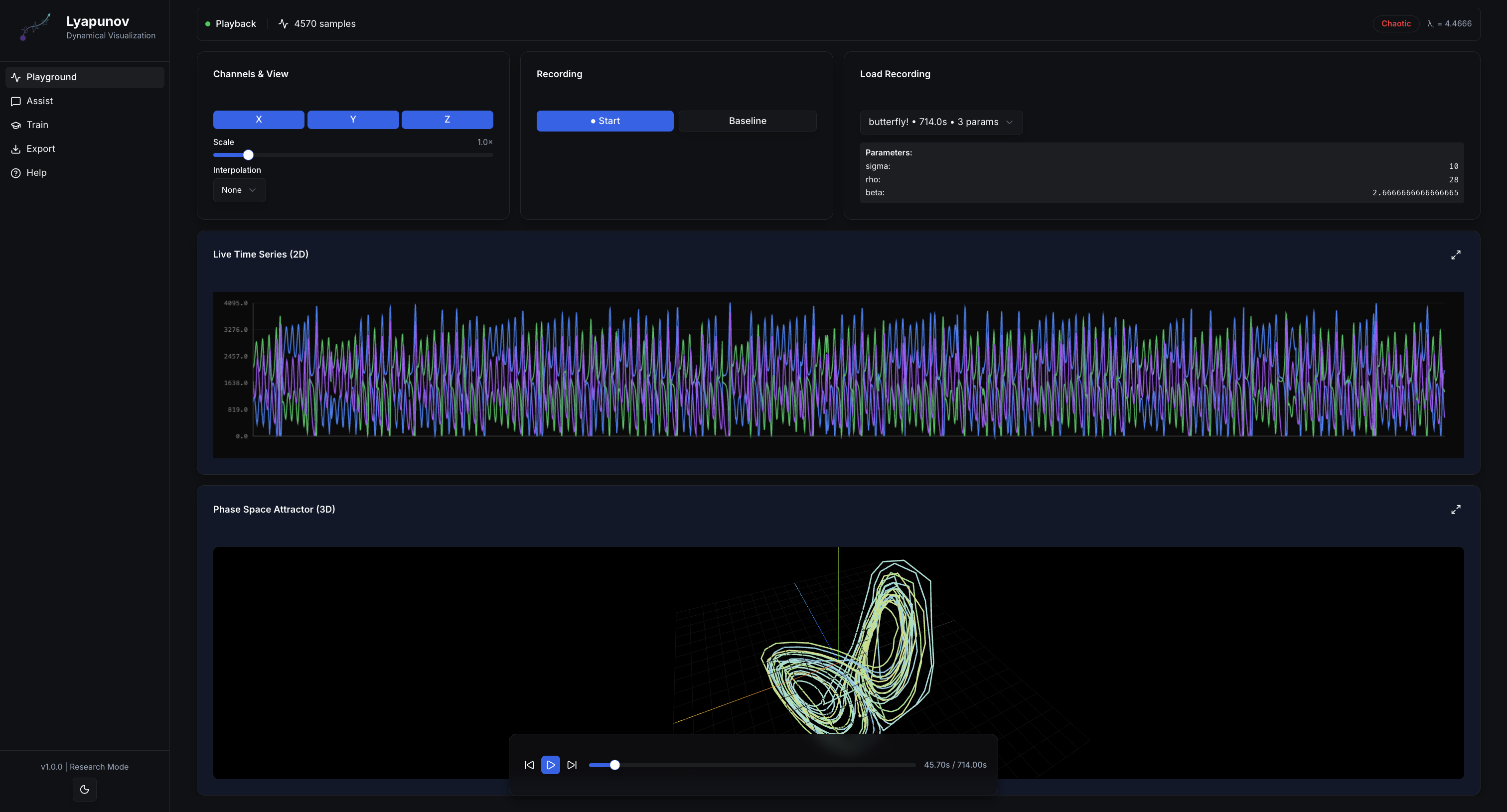
The main Playground exposes live plots, 3D phase‑space, recording, and playback controls.
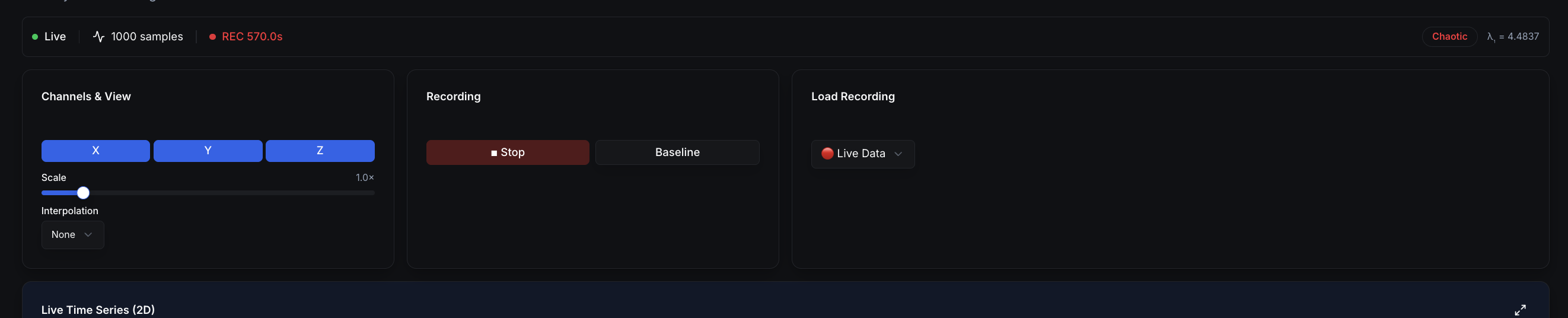
4.2 Channels, Options & Lyapunov

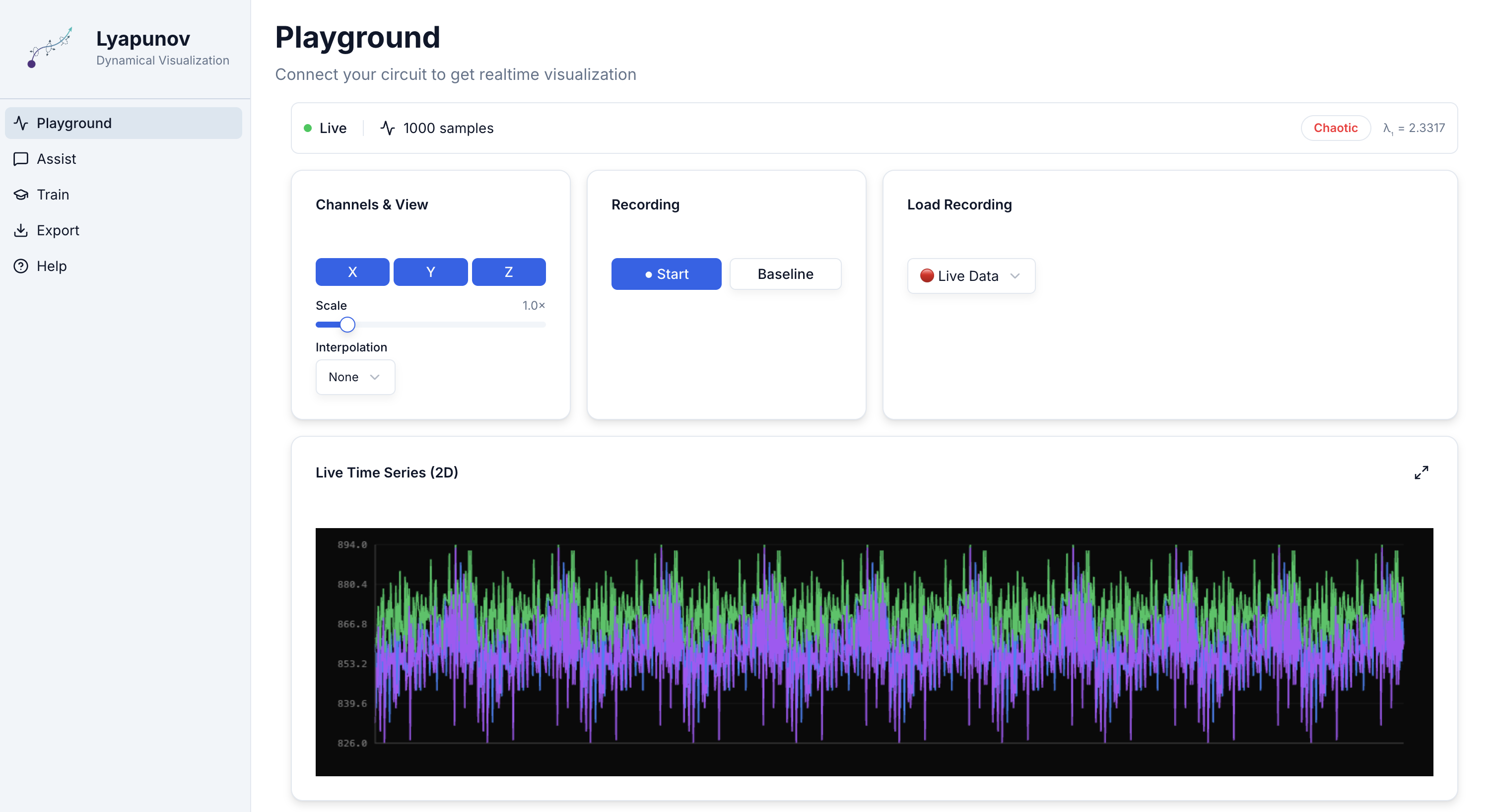
- Toggle X / Y / Z channels
- Adjust Scale and Interpolation (none / linear / spline)
- Start/stop Recording; set Baseline
- Live Lyapunov exponent & state classifier (Stable / Periodic / Quasi‑Periodic / Chaotic)
4.3 Visualizations
Time series (fullscreen)
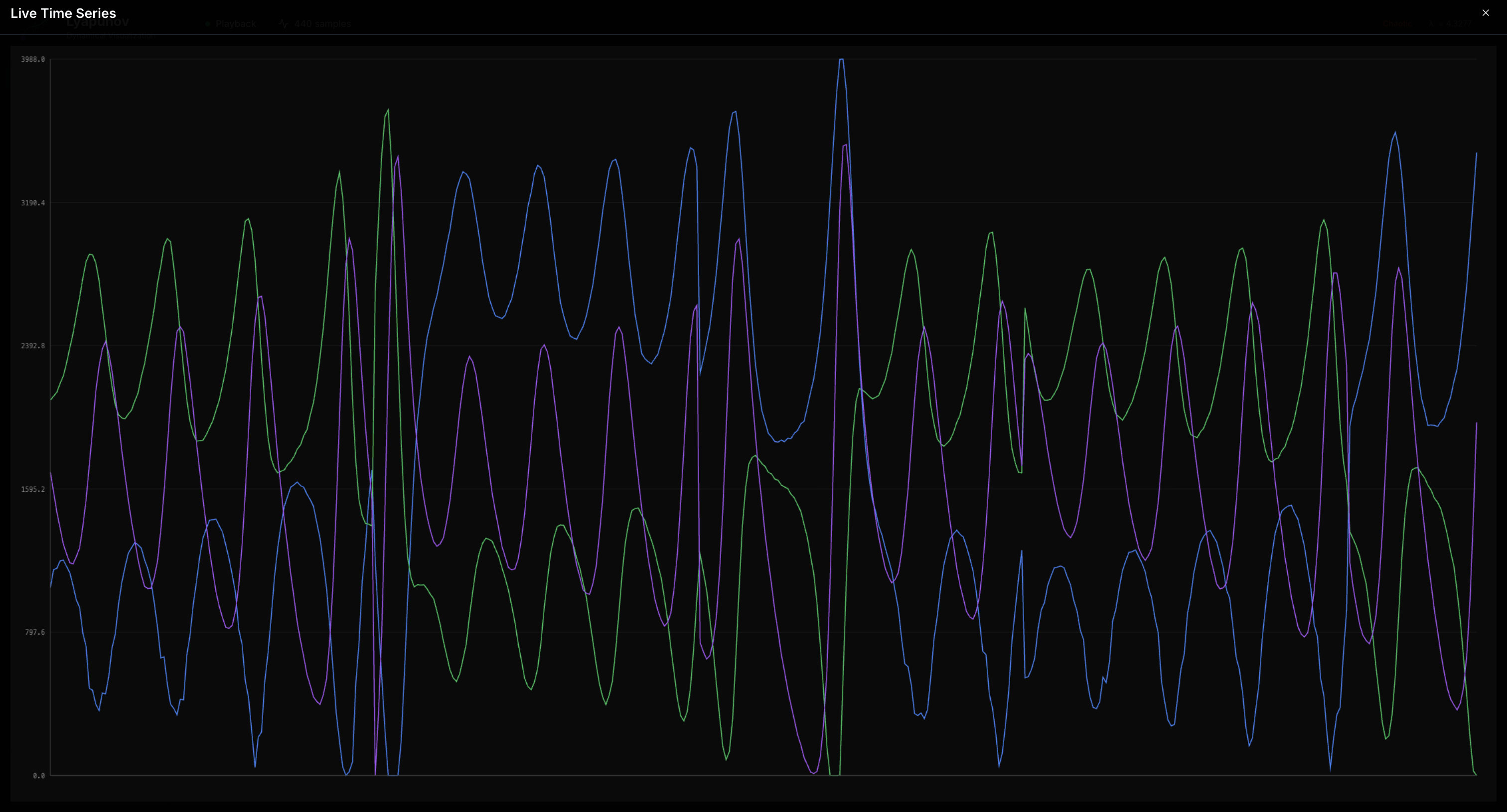 Click the maximize button to expand to fullscreen.
Phase‑space trajectory (fullscreen)
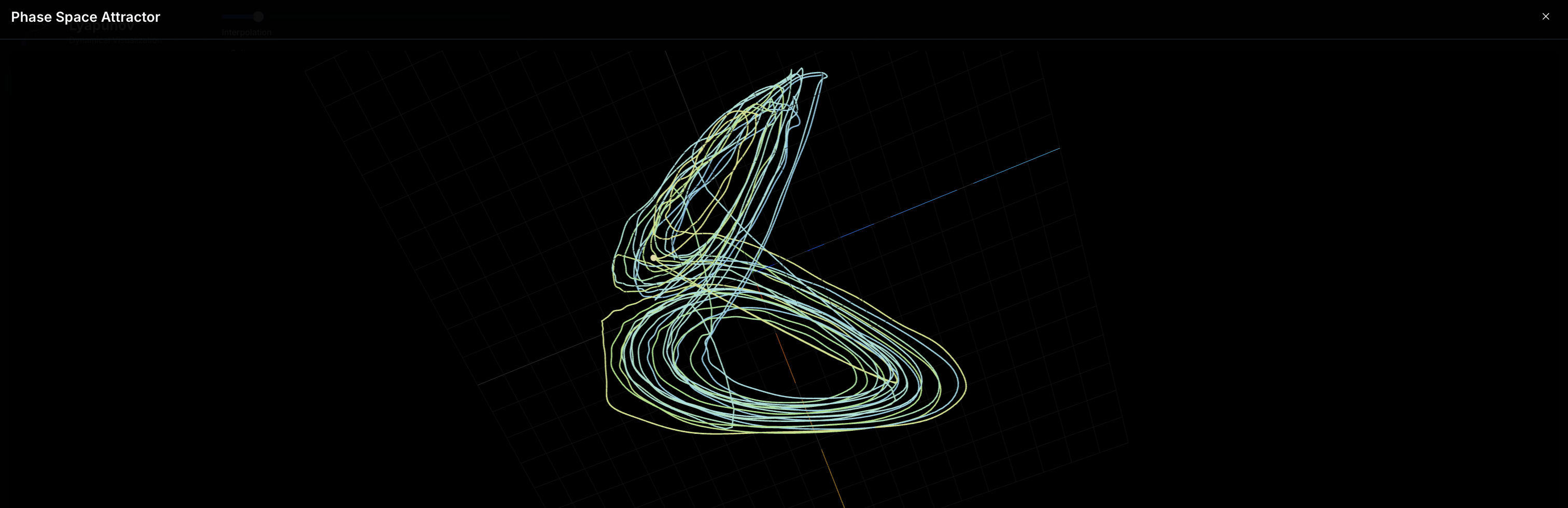 Orbit to rotate • scroll to zoom • right-drag to pan.
4.4 Recording & Playback
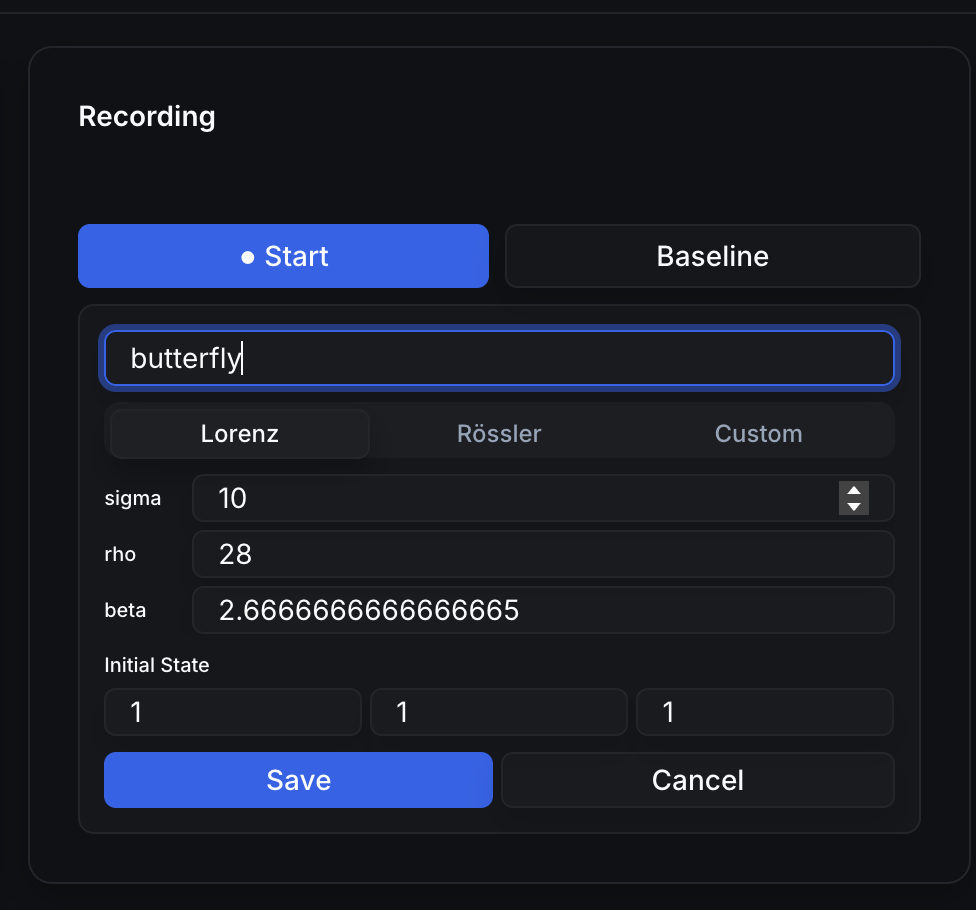
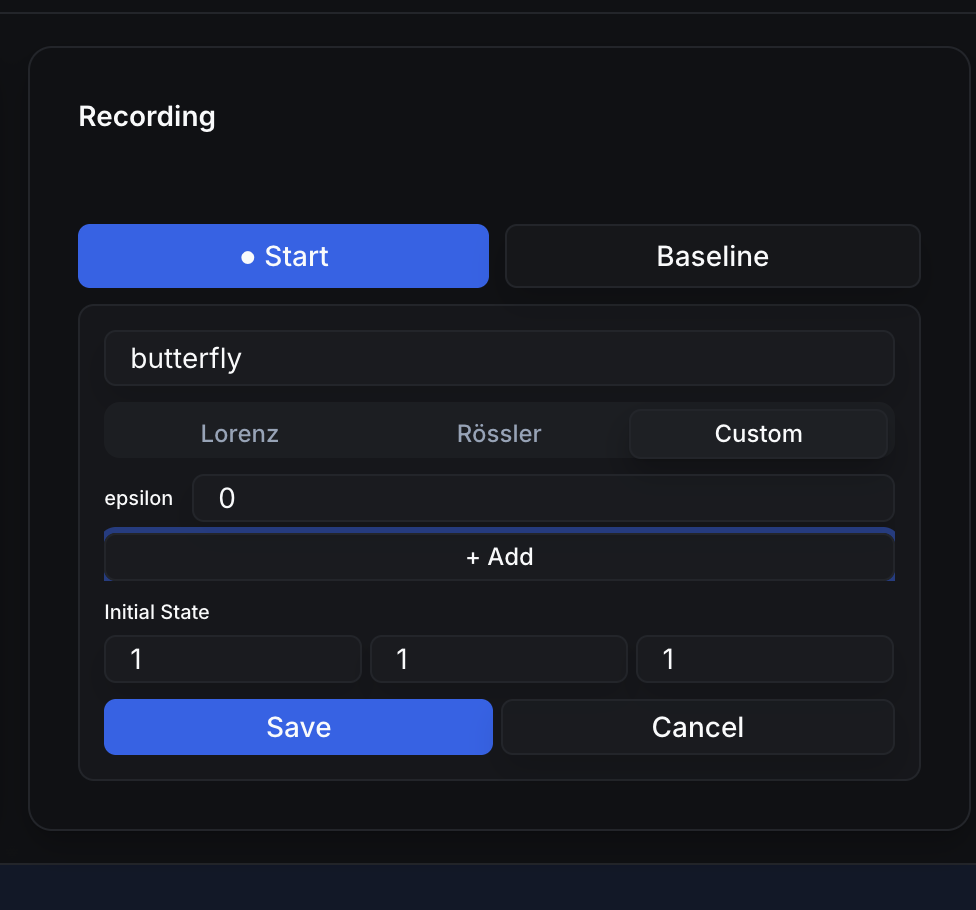
Attach system parameters (e.g., Lorenz σ, ρ, β) and initial state.
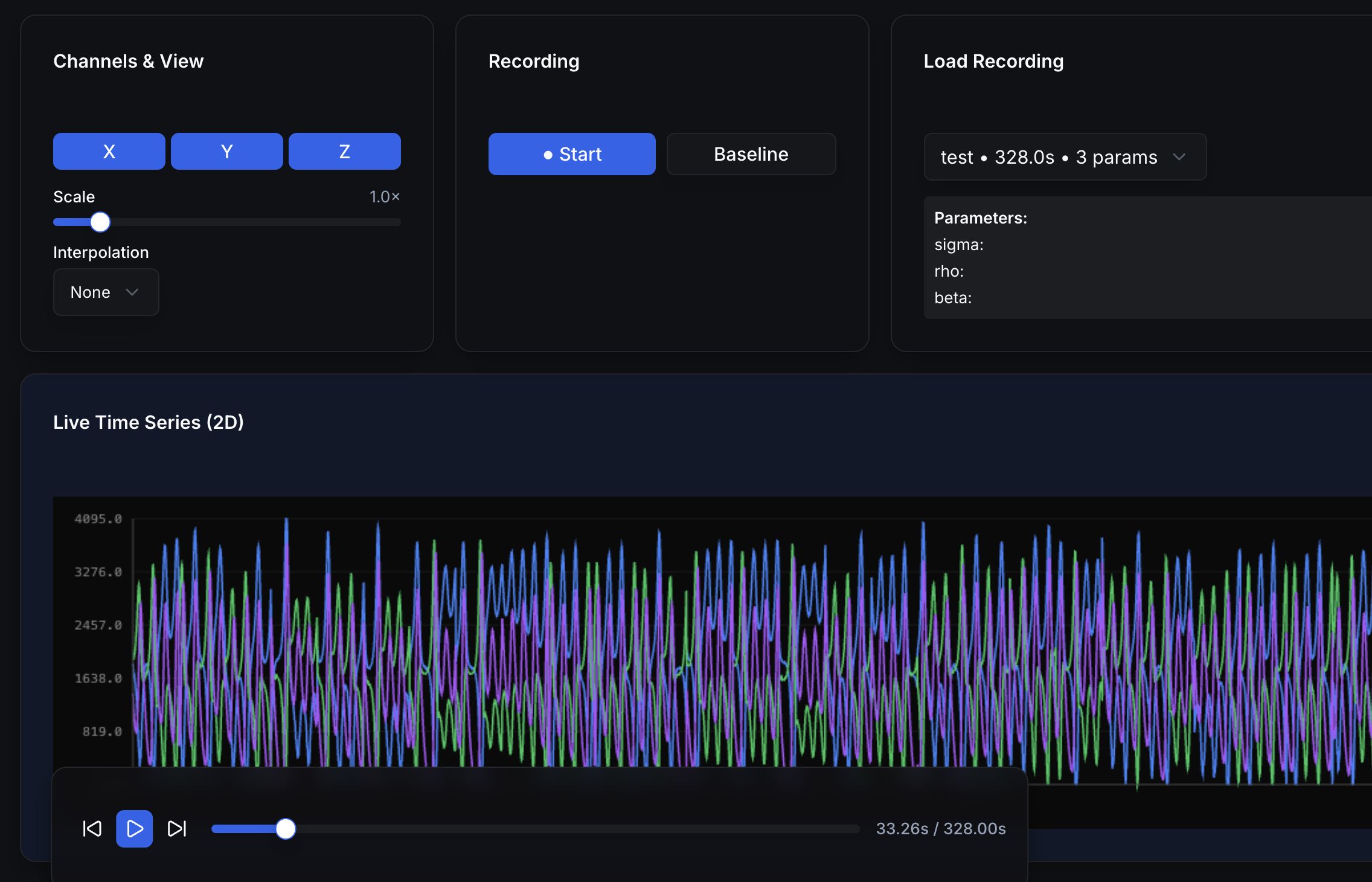 Floating Playback Controls allow play/pause, skip, scrubbing. Timeline in seconds (assuming 100 Hz).
4.5 Analysis
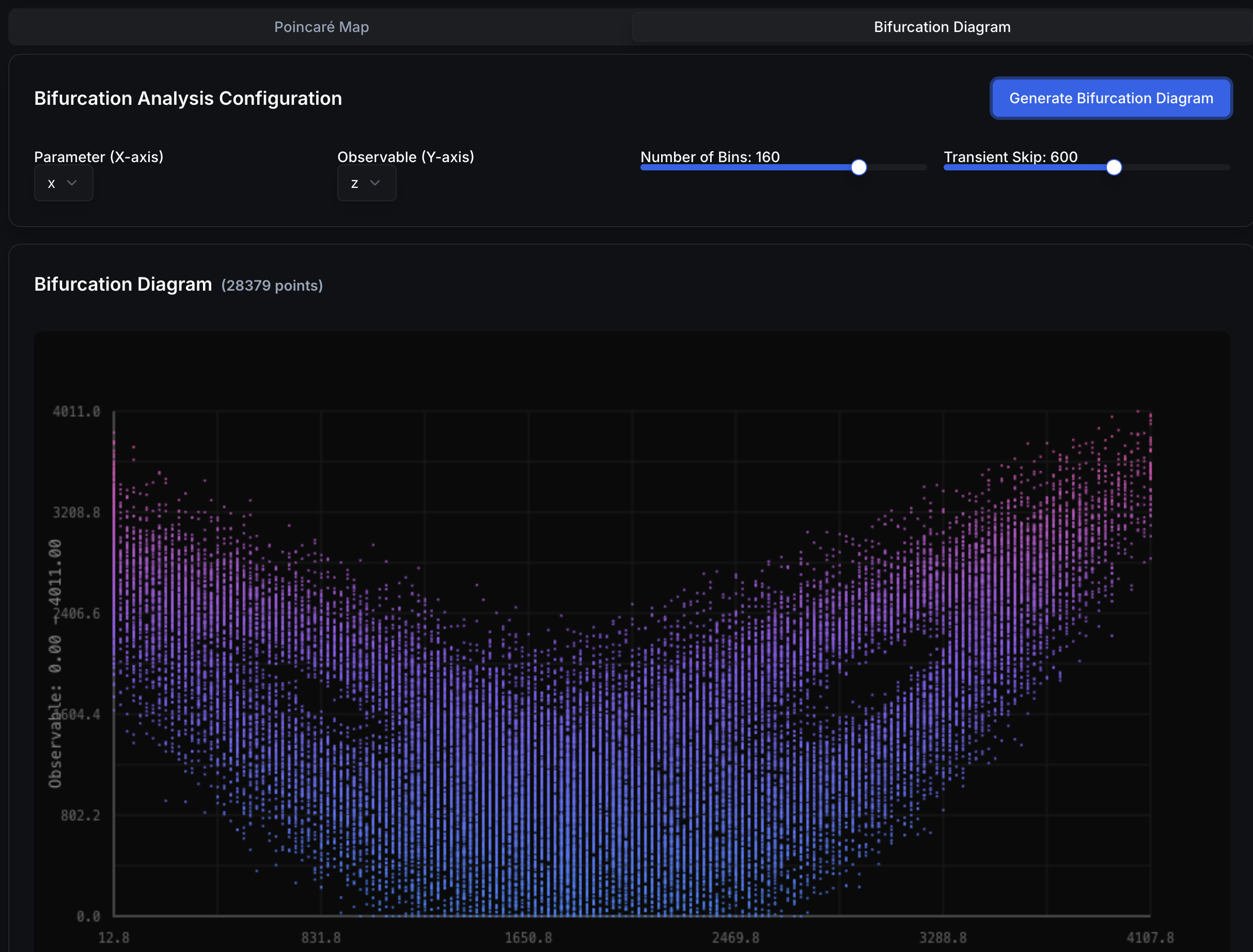 Visualizes qualitative regime changes (e.g., period-doubling routes to chaos).
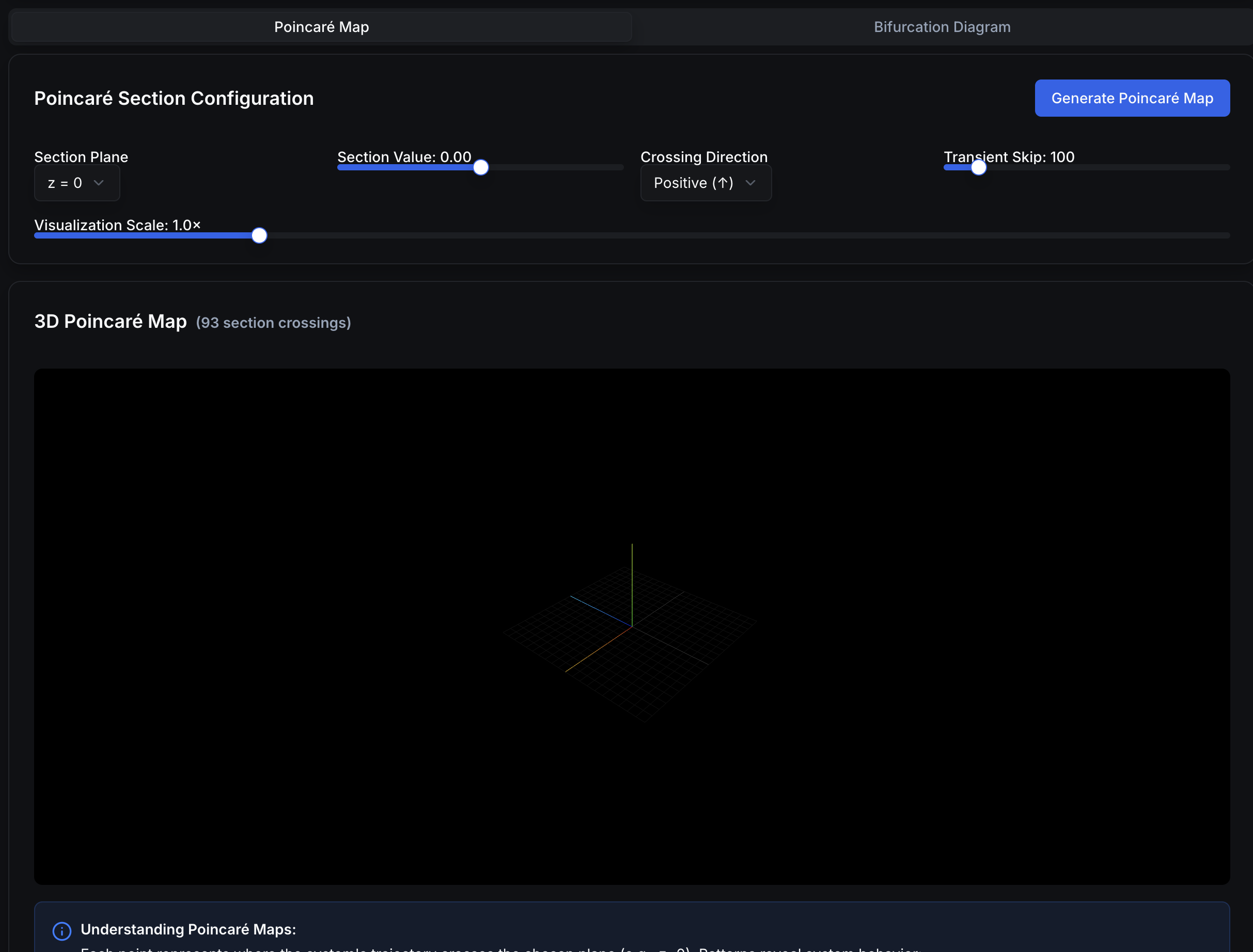 Section crossings reveal periodic / quasi‑periodic / chaotic structure.
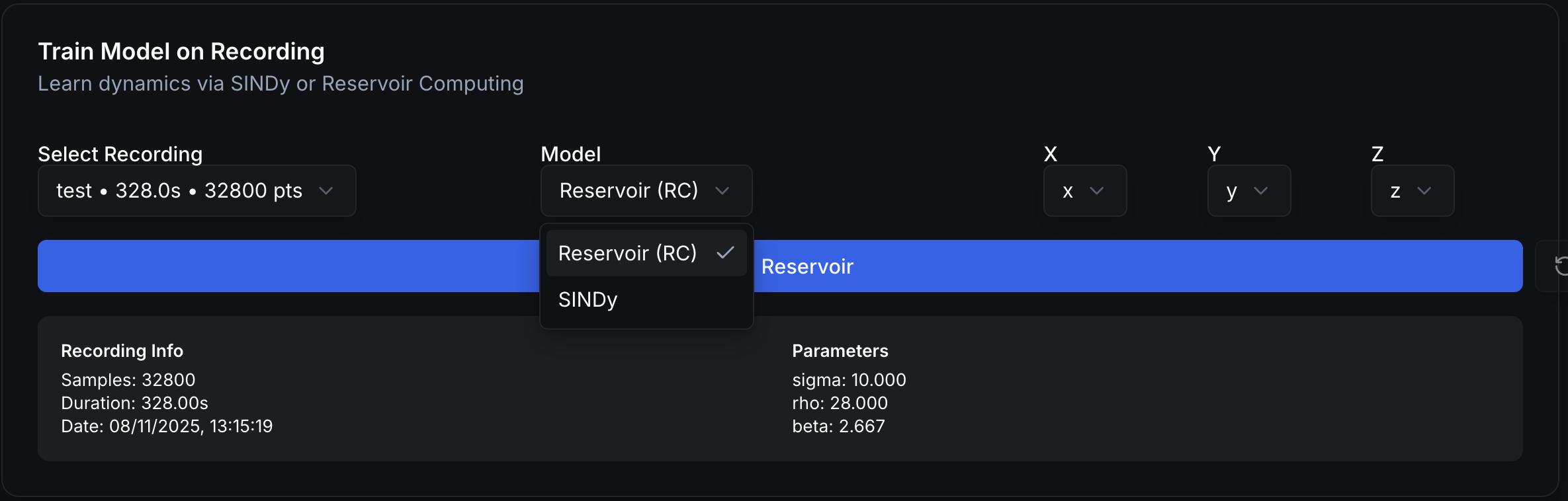
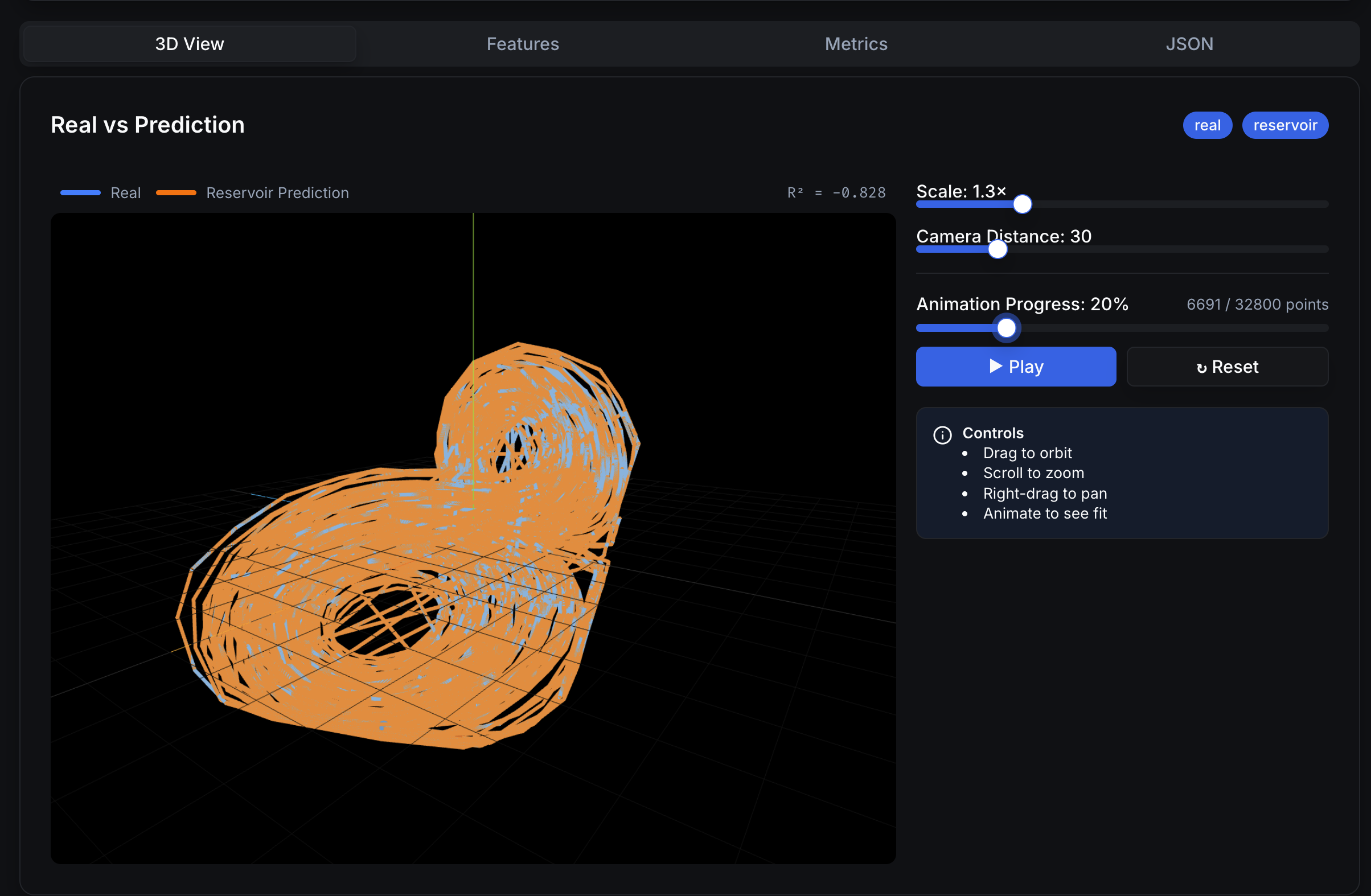
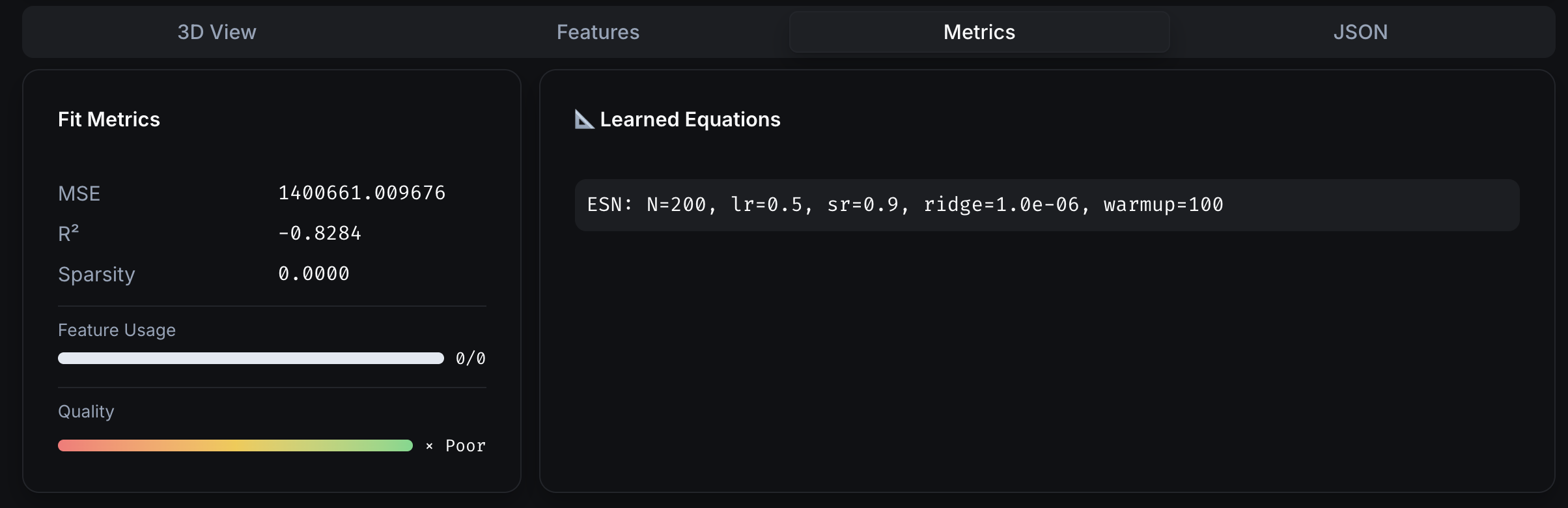
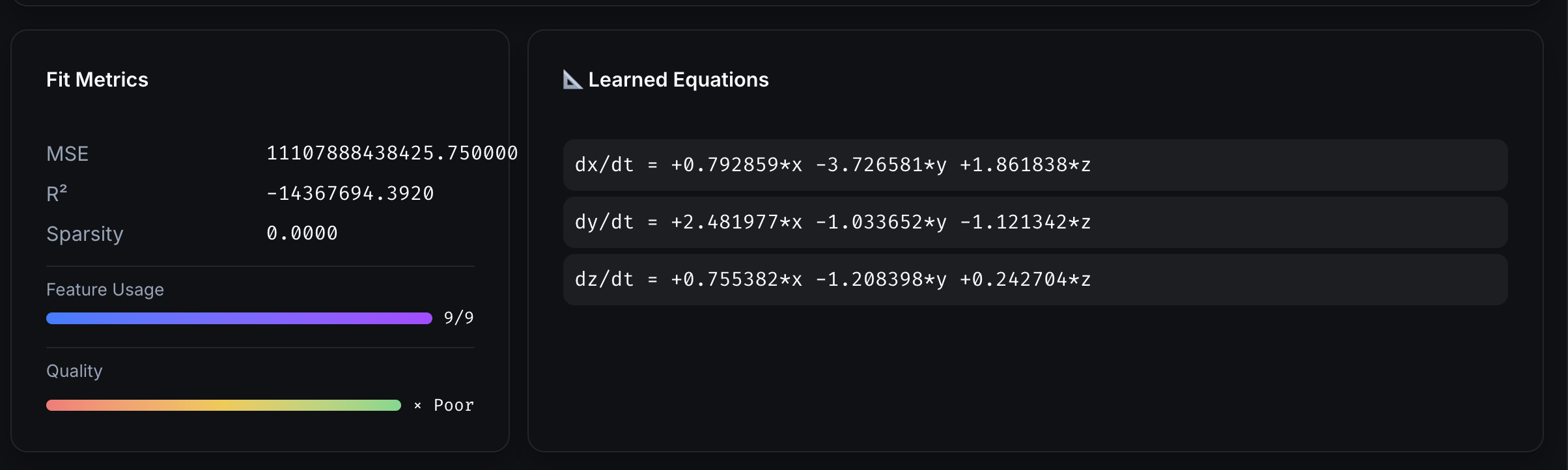
4.6 Training
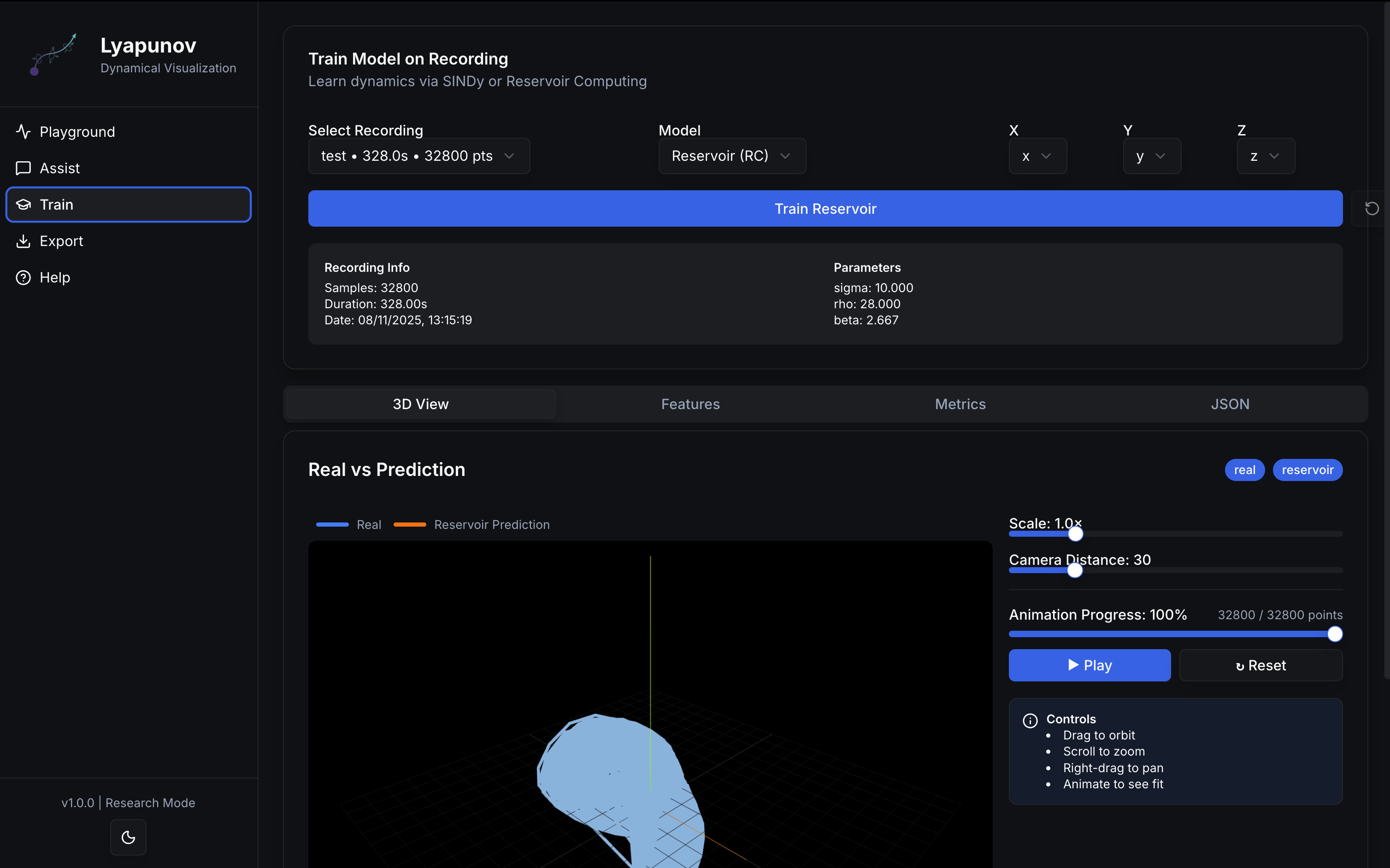
5) Backend API (for Integrators)
Base URL: http://<host>:<port> (default port from CLI is 3000)
5.1 Health
GET /api/health→{ status: "ok", sindy: <bool> }
5.2 Live stream
WS /api/stream→ pushes{ samples: [ {x,y,z,(t?)}... ], timestamp }
5.3 Train SINDy
POST /api/sindy/train→SindyTrainResponse- Accepts a
recording(x,y,z time series) andaxesmapping. - Uses PySINDy when available; falls back to linear model otherwise.
- Returns equations, metrics (MSE, R², sparsity), per‑equation feature table, and aligned prediction.
5.4 Train Reservoir (Echo State Network)
POST /api/rc/train→SindyTrainResponse- Requires reservoirpy. Teacher forcing on train split; autonomous rollout on test split.
- Returns ESN summary in
equations, plus metrics over the test region.
Models / Schemas: Recording, Axes, SindyTrainRequest, SindyTrainResponse, Metrics, FeatureInfo (see backend code for full definitions).
6) Power‑User Tips
- Orbit controls (3D): drag to orbit • scroll to zoom • right‑drag to pan.
- Fullscreen: click the maximize icon on charts.
- Baselining: capture a baseline segment to drive anomaly scoring.
- Recording format (frontend): stored in
localStoragenld_recordingswithname,timestamp,duration,data: Array<Record<string, number>>, optionalparameters,initialState.
7) Installation & Dependencies
# from PyPI
pip install lyapunov-lab

# run backend
lyapunov-lab start --port 3000
Optional accelerators (detected at runtime):
pip install pysindy reservoirpy scikit-learn
If PySINDy/ReservoirPy aren’t installed, the backend will gracefully fall back to the linear baseline or disable the ESN endpoint.
8) Repo Layout (short)
lyapunov_lab/
  backend/app.py        # FastAPI app, UDP→WS bridge, SINDy & ESN endpoints
  frontend/out/         # static export served at '/'
  cli.py                # exposes `lyapunov-lab` CLI
scripts/
  simulate_device.py    # CSV→UDP sender for local testing
docs/
  images/               # screenshots used in Features section
  mkdocs.yml            # site config (example above)
Citation (circuit basis used in examples):